


A deal database is only as useful as it is complete. If you need to find out what’s market, the answer needs to come from every comparable deal the firm has closed.
And that's why ethical walls pose a challenge to firms building their deal databases. Screened matters contain information that is just as relevant as non-screened ones, but the instinct is to keep them out of any shared system. That instinct is safe, but it results in an incomplete database that hinders league table submissions, "what's market" analyses, and precedent retrieval.
Centari enforces walls at the level of the attorney and the matter
Centari reflects matter access decisions in the same manner your firm already does today, enforcing ethical walls on all data in the platform, not only on documents.
Enforcing a wall on a document is a solved problem. The DMS already does it. Enforcing it on data derived from the document is harder. A median indemnity cap is computed across dozens of matters, and an answer from Centari Intelligence may cite several of them. A chart in Centari Views might aggregate hundreds. The wall has to hold at every one of those points.
So enforcement follows the data everywhere it surfaces. A screened attorney's search draws only from the matters they can reach. Centari Intelligence answers their questions from the same permitted set, so a query about market terms never surfaces a walled matter in its answer or in the citations behind it. Views they open reflect the same boundary.
Walls are available in every Centari workspace. Once activated, they govern the workspace continuously, not just at the moment a document is uploaded. When a lateral joins from a firm across the table on a live matter and conflicts raises a screen her first week, the screen applies automatically to matters extracted last year.
How permissions resolve
Each workspace carries a default: open, where every attorney sees every matter, or closed, where no attorney sees a matter without an explicit grant Against the default, three operations apply, each naming one attorney and one client-matter number:
- [allow] grants the attorney access to the matter.
- [deny] withholds it.
- [revoke] removes an earlier allow or deny and returns the attorney to the workspace default.
Every operation is recorded with who made it and when. Because permissions key to the client-matter number, a wall identifies a matter in Centari the same way it does in your conflicts system and your DMS. The same three operations sit behind every route in: the web app, the CSV upload, and the permissions API. A wall behaves identically no matter how it arrived.
Three ways to bring your walls into Centari
Firms record walls in different places: a partner's own list, a spreadsheet maintained by conflicts, a conflicts platform, the security layer of the DMS. A tool that accepts walls from only one of those places forces someone to re-key them into a second system, and re-keying is where walls drift. Centari is compatible with all sources, and firms often begin with one and move to another as their walled footprint grows.
Set permissions in Centari. An administrator sets access for named attorneys and matters directly in the web app, and changes take effect immediately. For a firm carrying a small number of screens, or for the hour after a new engagement opens and a screen has to be in place before anyone runs a search, this is the fastest route.
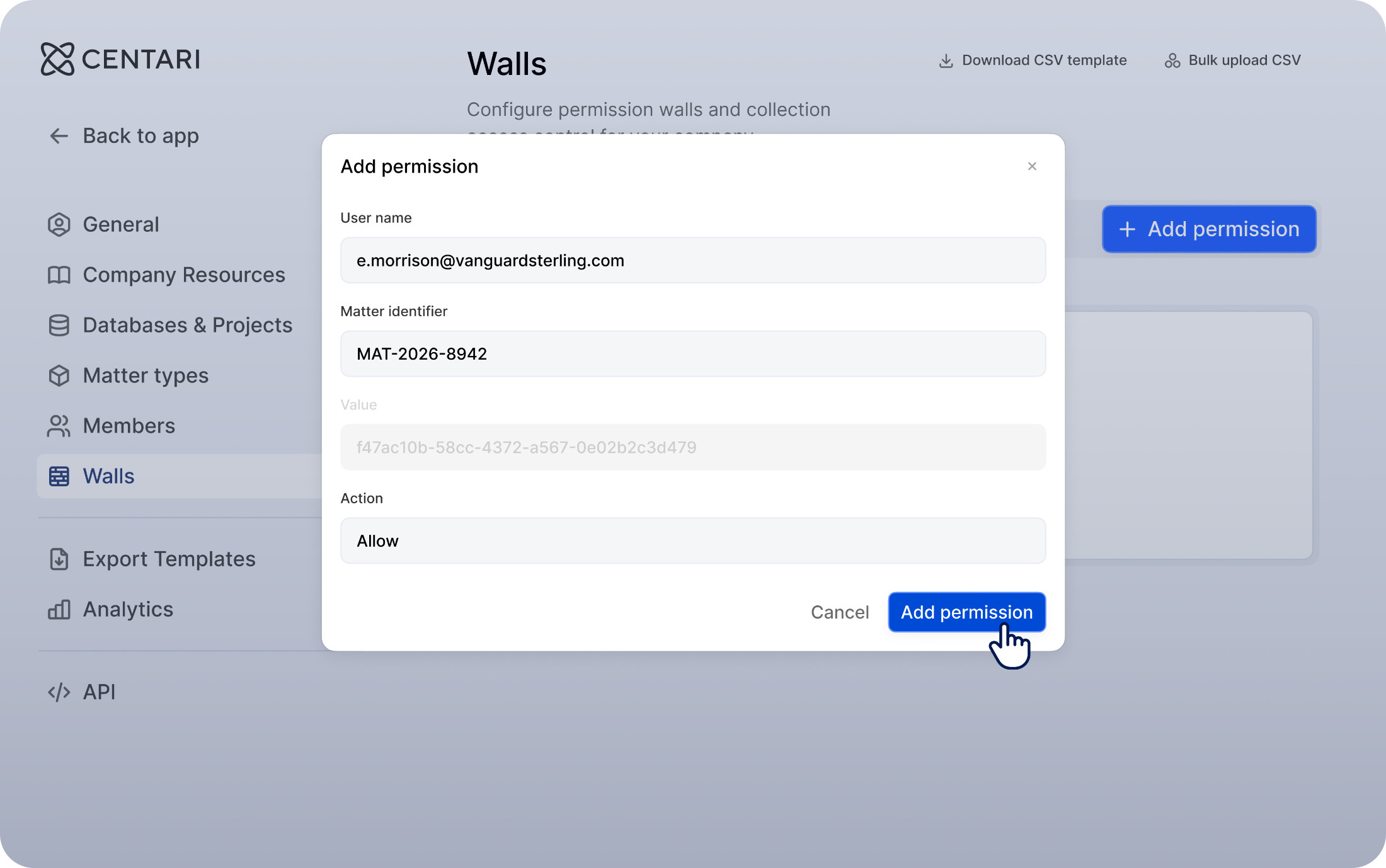
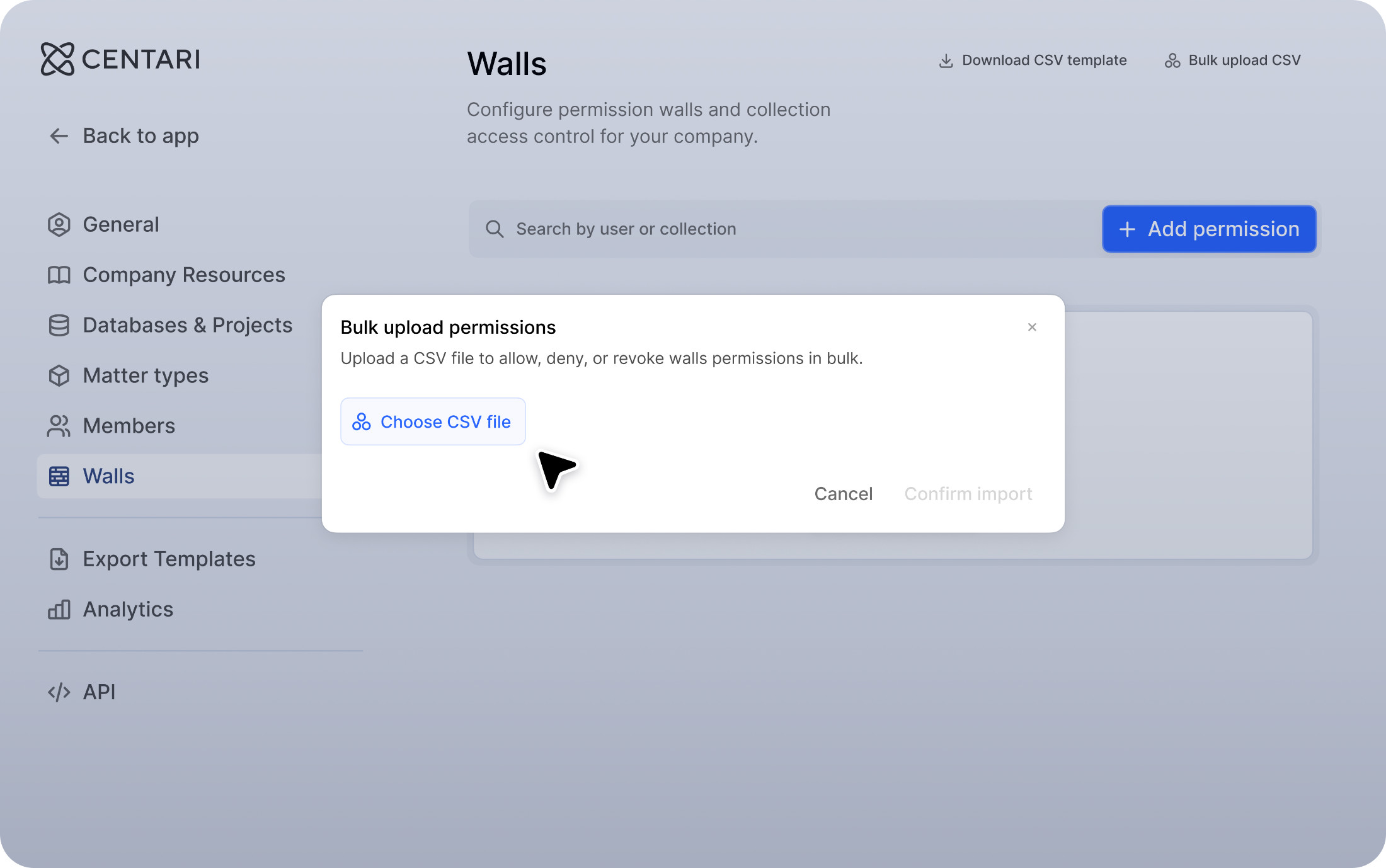
Upload your walls as a CSV. Many firms already maintain walls in a spreadsheet, or can export them on demand from wherever they store ethical walls data today. Upload the file and Centari applies every row in one operation, across as many matters and attorneys as the file covers. Firms typically run this on a set rhythm, weekly or monthly, with an off-cycle upload the day a lateral starts.
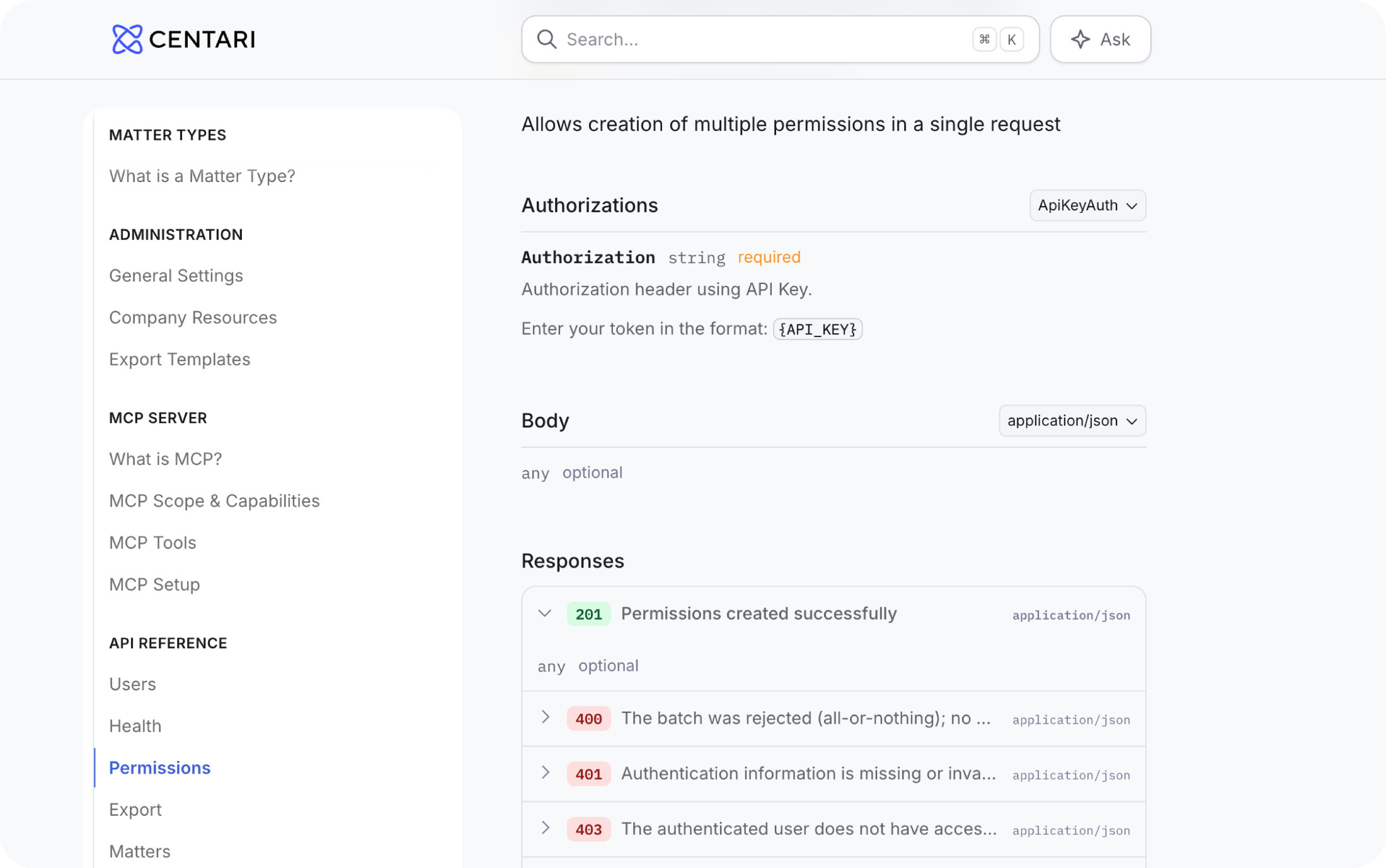
Connect the system where your firm records its walls. When walls change weekly and live in a conflicts platform or a database your IT team maintains, re-keying them into a second system is a tedious operation nobody should have to perform. Our technical team works with customers to connect their walls systems to Centari's permissions API. Your system stays where the firm records access decisions, and Centari applies the changes on your preferred cadence. Raise a screen in your conflicts workflow and Centari reflects it automatically without anyone needing to open an admin panel. And if your firm has the engineering capacity, you can build against the documented API directly.
Nothing has to stay out
Because Centari controls access attorney by attorney, you can capture your full deal history, sensitive matters included. A walled matter sits in the database, contributing to the firm's market analysis and precedent search for everyone entitled to see it, and stays out of view for everyone under the screen. The associate finds her precedent. The partner's "what's market" analysis covers the whole record. The conflicts team gets permissions enforcement consistent with the controls it already runs, reflected in Centari.
Centari never uses your data for training, maintains complete data isolation, and holds independent SOC 2 Type II and ISO 27001 attestation.
Talk to your Centari team about ethical walls integration
The optimal integration method for ethical walls depends on where your firm records its walls data today, and how often this data changes.
Your Centari team will help you evaluate the options available for your firm, so that every deal can make the next one sharper, with full governance applied.